.png?width=200&height=89&name=CC%20logo%20blue-1%20(1).png)
🔔 Note: The file size limit for both Attachments and Print Copies is 100MB.
What is the difference between the two?
An Attachment is an addition to the main report and is indexed fully. Attachment contents will also appear in search results.
A Print Copy is a PDF copy of the report. It allows the end user to download as a PDF.
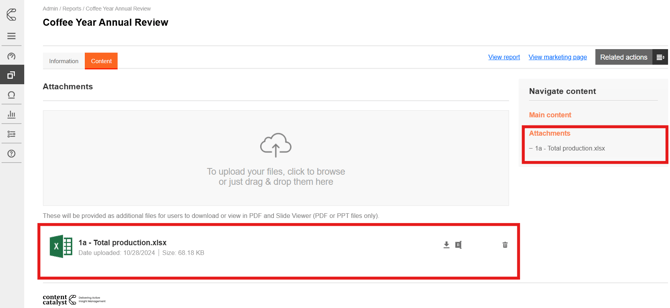
Both Attachments and Print Copies can be found on the Content tab and on the right-hand side in the Navigate content panel.
Uploading Attachments
1. To add an Attachment, in the attachments area, click the green upload button and drag the file you want to add into the upload area. Alternatively, you could click on the upload area to search for the document you want.
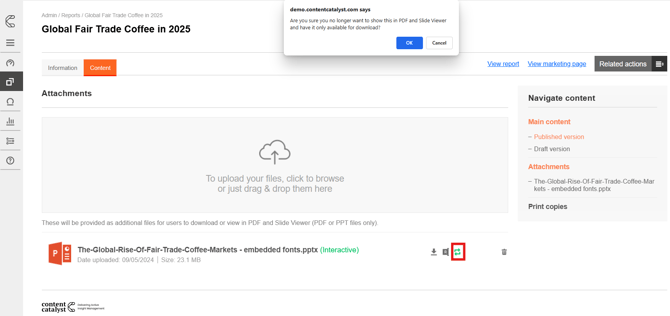
PDF and PowerPoint files are displayed in the PDF Viewer by default, and all other files are made available for users to download.
🔔Note: DocuViewer will replace SlideViewer for sites that have the Showcase page enabled.
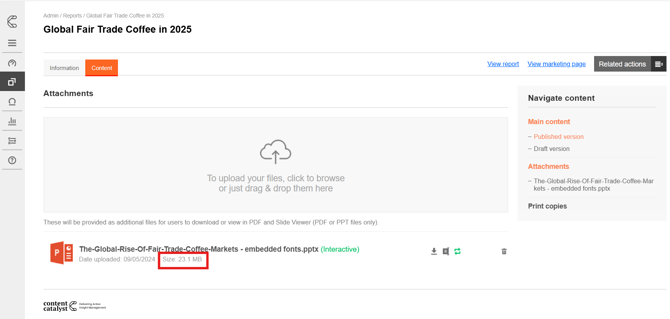
🚨 Please note: Attachments that are larger than 10MB will not appear in search.
Uploading Print Copies
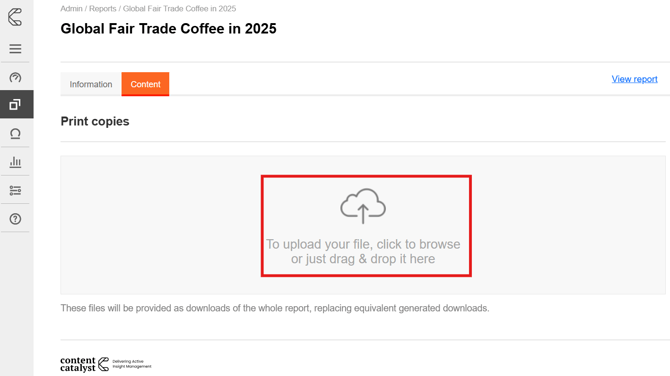
1. For interactive reports, it is possible to upload Print Copies of the report that are downloadable instead of the automatically generated report downloads of the same file format. These can be added via the content tab of the admin page of a report, and selecting the 'Print copies' option on the right-hand side.
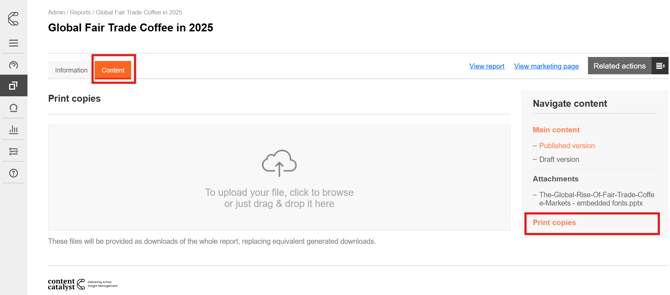
2. To upload a print copy, simply drag and drop the file into the upload area or click the upload option to find the file you want to upload.