.png?width=200&height=89&name=CC%20logo%20blue-1%20(1).png)
🔔Note: PCN Topics are still required, see Managing Personalised Content Notification Topics. If the report set for notification is not categorised, the following error will appear: "No topics found for product".
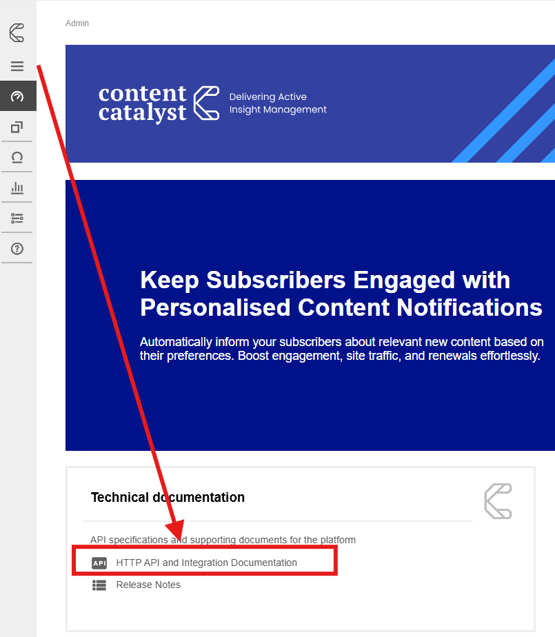
🔔Note: See the API: Application Programming Interfaces article to familiarise yourself with APIs in Content Catalyst.
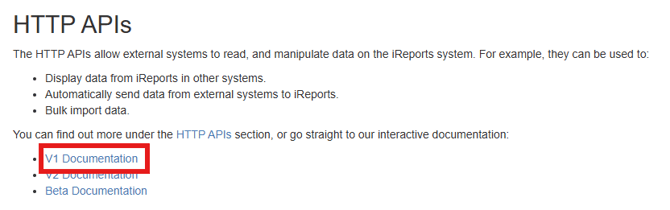
Example: Setting the PCN notification
The following example shows how to set the PCN notification.
This is achieved using the POST /Notifications API endpoint.
Select the query:
POST /notifications
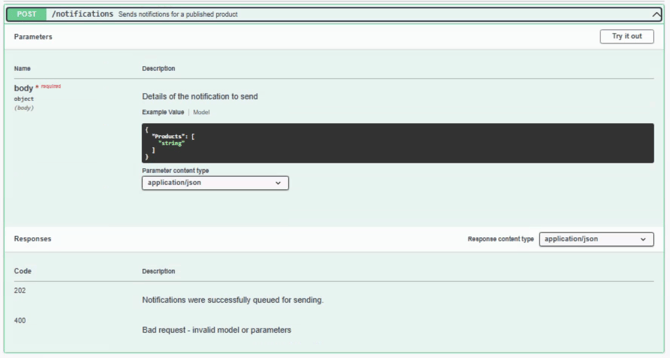
In the query 'body' section, replace the product's "string" value with the report ID that you wish to set the que the published content notification email for.
See example below
Report ID is 'REP201'
{
  "Products": [
    "REP201"
  ]
}
Select Execute to run the endpoint.
The selected report will be qued for the 'Published reports' email notification.