.png?width=200&height=89&name=CC%20logo%20blue-1%20(1).png)
-
headings are recognised and appear in report navigation
-
figures and charts are correctly identified as exhibits
-
imported content maintains a consistent structure
-
future imports using the same styles are processed automatically
Any imported content that is not matched to a recognised Word style may appear unorganised and won't be selectable in the report landing page contents listings.
For example, any figures included in the content will not be identified unless the 'Exhibit' styling is applied.
See the examples below.
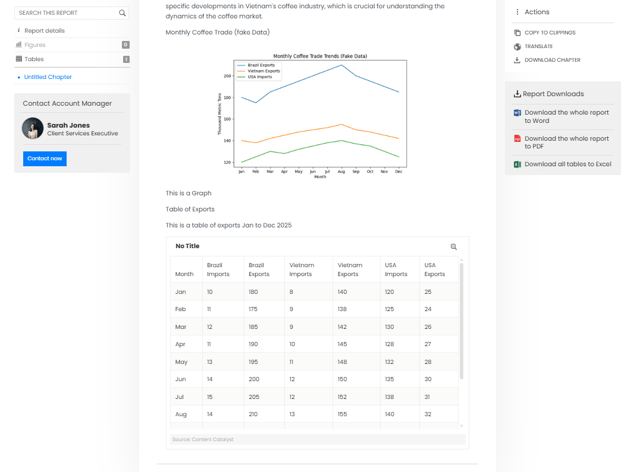
Interactive report imported with non stylised content:
No headings are used so the content is just imported as text.
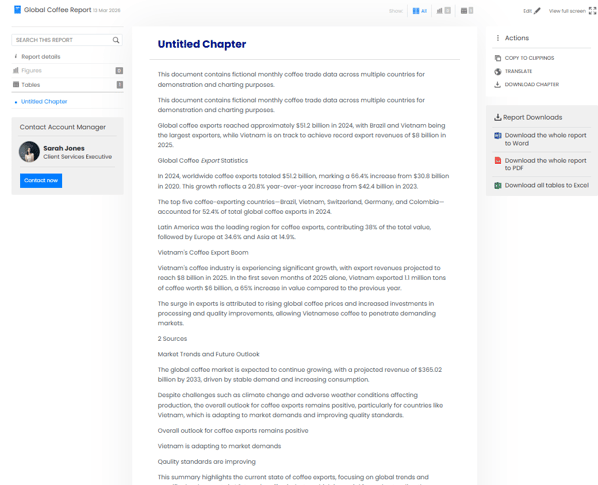
Figures such as graphs and charts are not lablled or selectable from the report details listings.
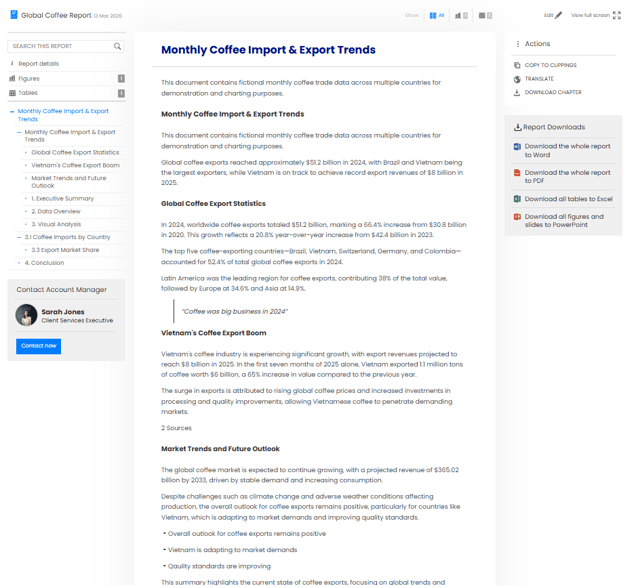
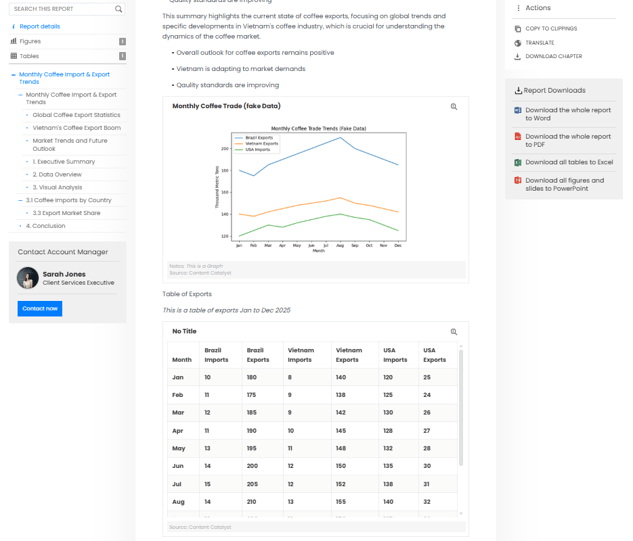
Interactive report imported with stylised content:
With the styling applied, the content is now interactive with selectable headers and recognised Figures.
You can create custom styles and map them so the Content Catalyst recognises them, or set that style to be ignored using the Word Import Style Mappings tool.
Existing Word Import Style Mappings
🔔Note: Users will need Report Admin or Site Admin permissions to access the Import Style Mappings. See Assigning Admin Access to a User.
To amend any existing styles
Head to Content > Reports >Related Actions > Word Import Style Mappings
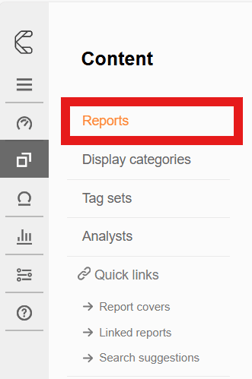
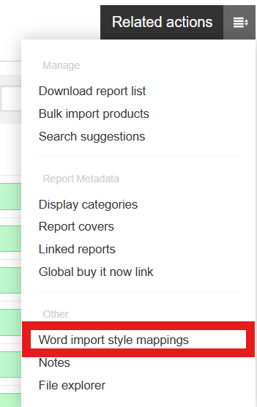
We can see a list of style mappings that currently exist in the site.
Mapping Import Styles correctly can help ensure that importing Word content is a smooth process.
New Imports
When importing new Word documents for interactive content, it is important that any stylised text is mapped to the recognised formatting in Content Catalyst.
New Word documents may not contain the correct styles recognised by Content Catalyst.
The key Word styles recognised by Content Catalyst are:
Paragraph
Heading 1-4
Quote
Bullet
Exhibit Title
Exhibit Source
Exhibit Note
When Content Catalyst does not recognise styles, it will prompt users to map these correctly during the import process.
The example Word document shown below contains a unique word style ‘MyCompanyStyles’, which would be unrecognised by Content Catalyst initially.
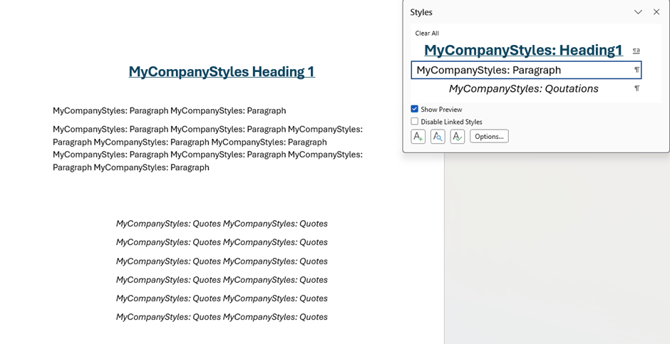
When this content is imported, we can see that unrecognised styles have been found.
Users will be prompted with the following message
'Info: This document contains unrecognized Word styles. Please setup how they should be imported before continuing. You can change how starts are imported in the global styles page.'
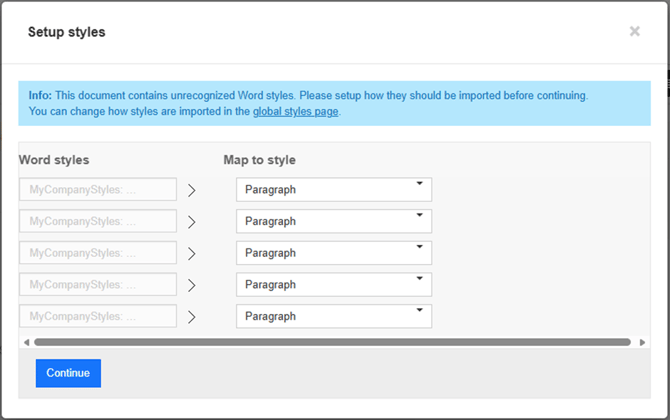
Use the Setup Styles page to map the unrecognised styles to the recognised format.
🔔Note: : By default, unrecognised styles will be mapped to the Paragraph style.
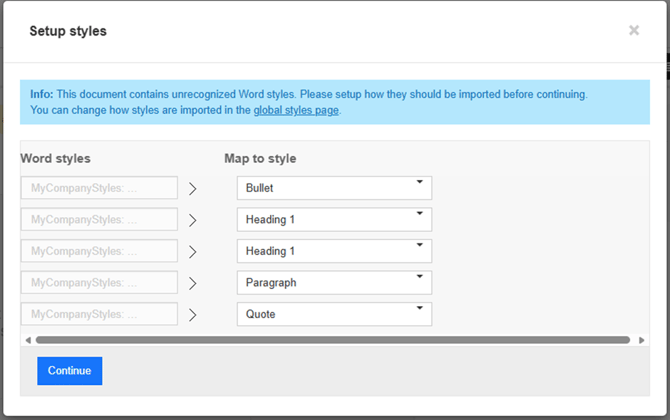
Once the styles are mapped ,any future content that contains the previously unrecognised style of ‘MyCompanyStyles’ will now be imported correctly.
For more information on Word Styling see the following article: